
CASE STUDY
Enterprise insurance platforms often require complex installation and upgrade processes involving specialized DevOps expertise and extensive coordination.
I led the design of an AI-assisted installer that simplifies deployment — enabling teams to deploy and upgrade entire product suites through a guided, automated workflow.
The goal was simple: make enterprise upgrades possible without engineering expertise.
Enterprise deployments of core insurance platforms are traditionally slow, manual, and highly technical.
Upgrades often took months to complete
Installation required specialized DevOps expertise
Deployment errors delayed environments and blocked teams
Customers frequently remained on outdated platform versions
The challenge was to transform a complex deployment process into a simple, reliable workflow.

The installer experience was designed around a simple idea: make enterprise upgrades accessible without requiring engineering expertise.
Three principles guided the design:
Simplify the workflow
Non-technical users should be able to initiate upgrades safely.
Automate the complexity
The system verifies dependencies, compatibility, and environment readiness automatically.
Make failures recoverable
When issues occur, the system surfaces clear diagnostics and next steps.
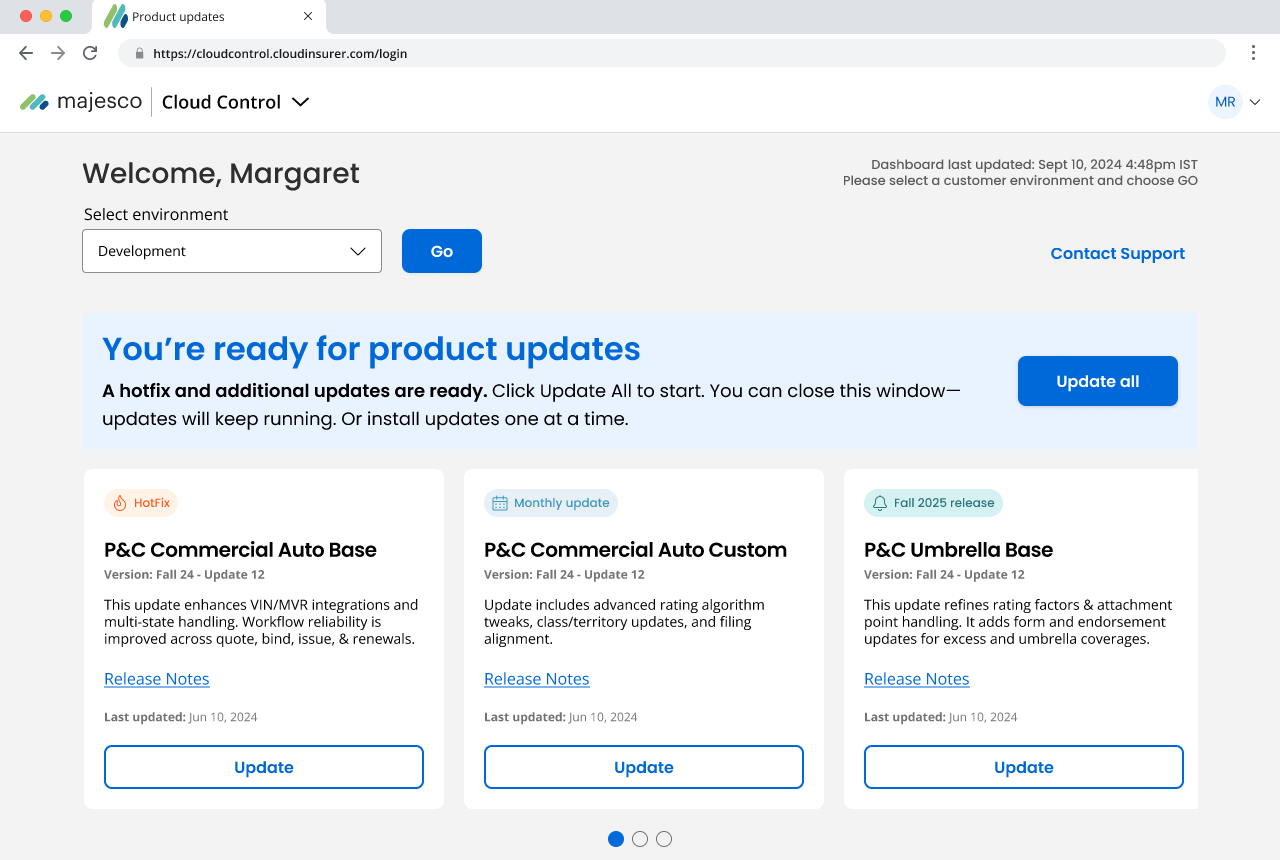
The installer surfaces all products within an environment in a single dashboard.
Users can immediately see available updates and control how upgrades are applied.
They can:
This centralized view replaces fragmented deployment workflows with a single control surface for platform updates.
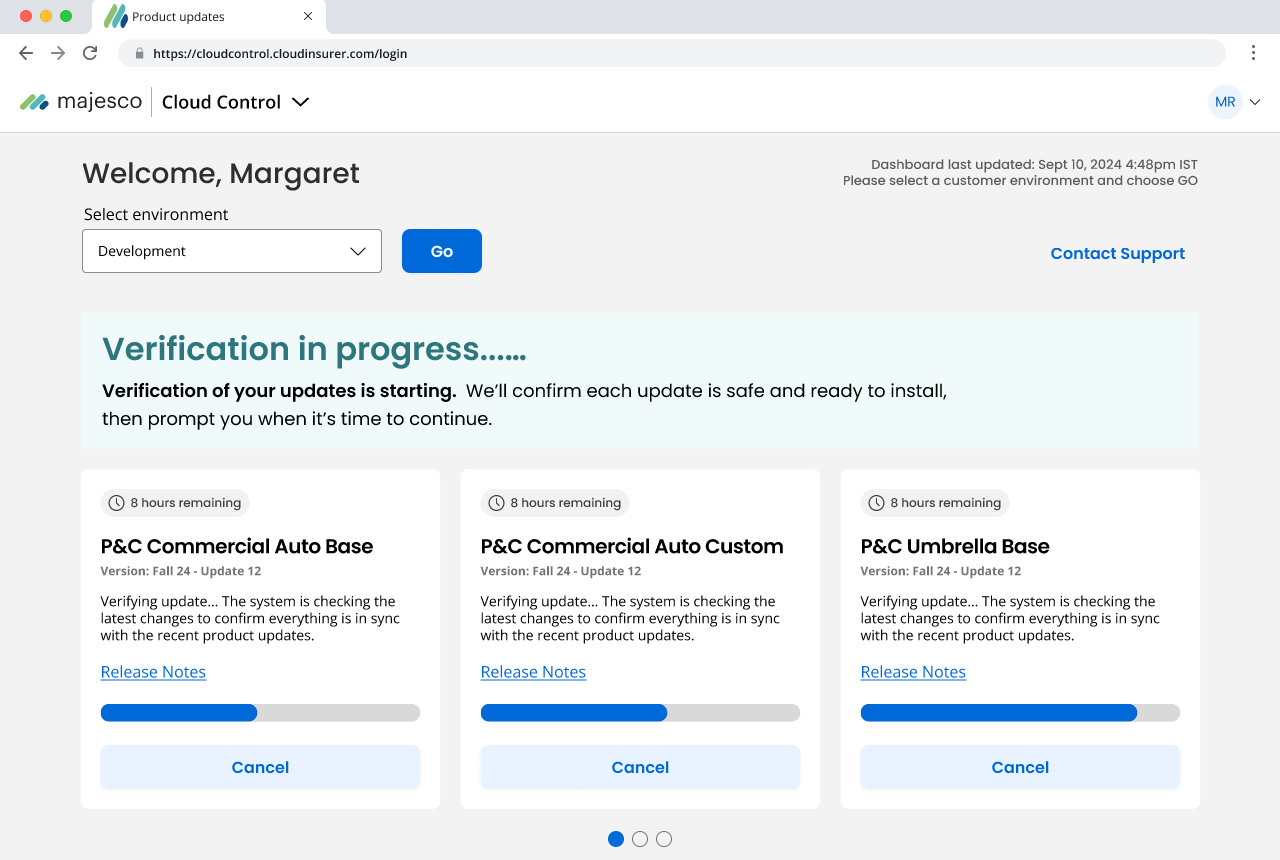
Before installation begins, the system automatically verifies environment readiness and product compatibility.
Automated checks include:
These checks ensure deployments proceed safely and predictably.
If issues occur, the installer surfaces actionable diagnostics through a built-in HealthCheck system.
The system evaluates:
Rather than failing silently, the installer provides clear feedback and recommended fixes.
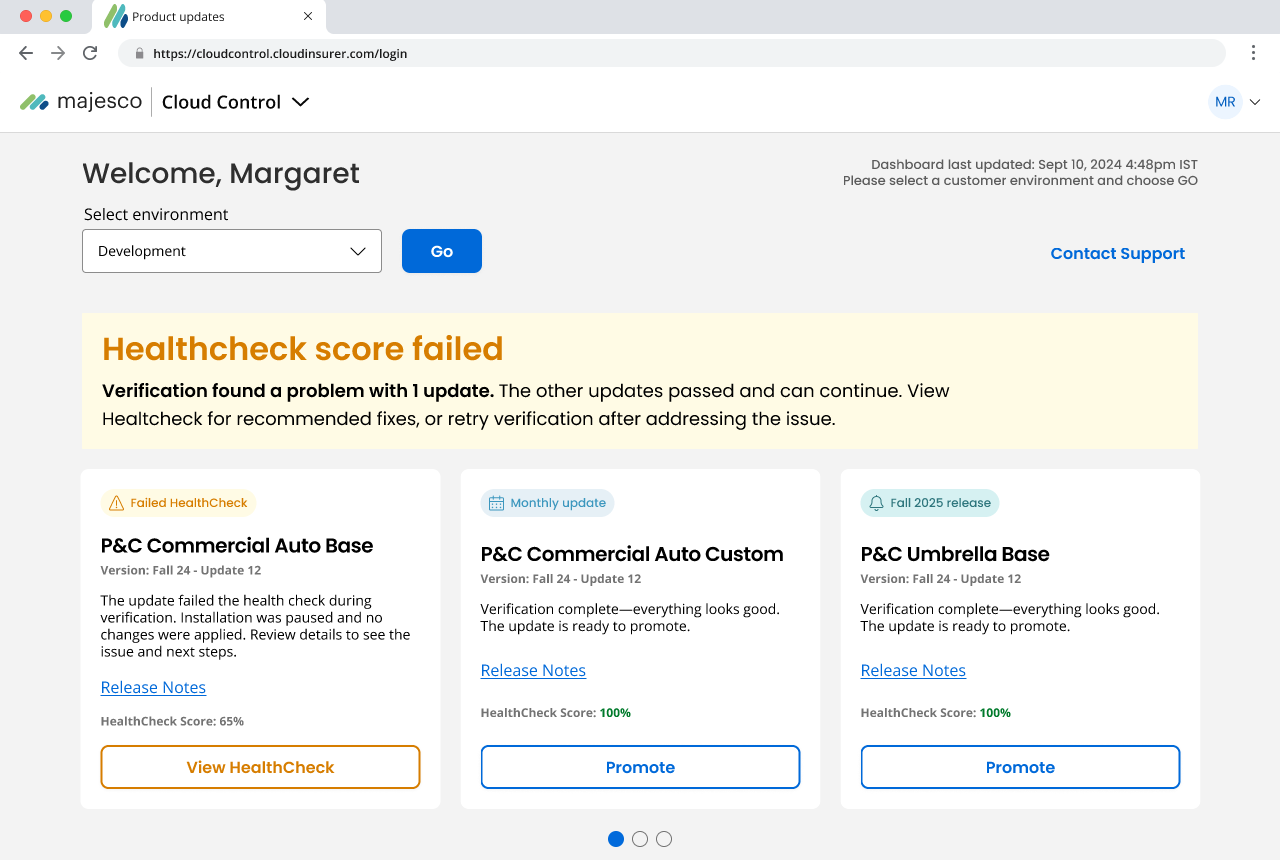

Enterprise deployments rarely complete perfectly on the first attempt.
When issues occur, the installer surfaces clear diagnostics and guidance.
Users can:
The system transforms deployment failures from opaque technical events into clear, actionable workflows.
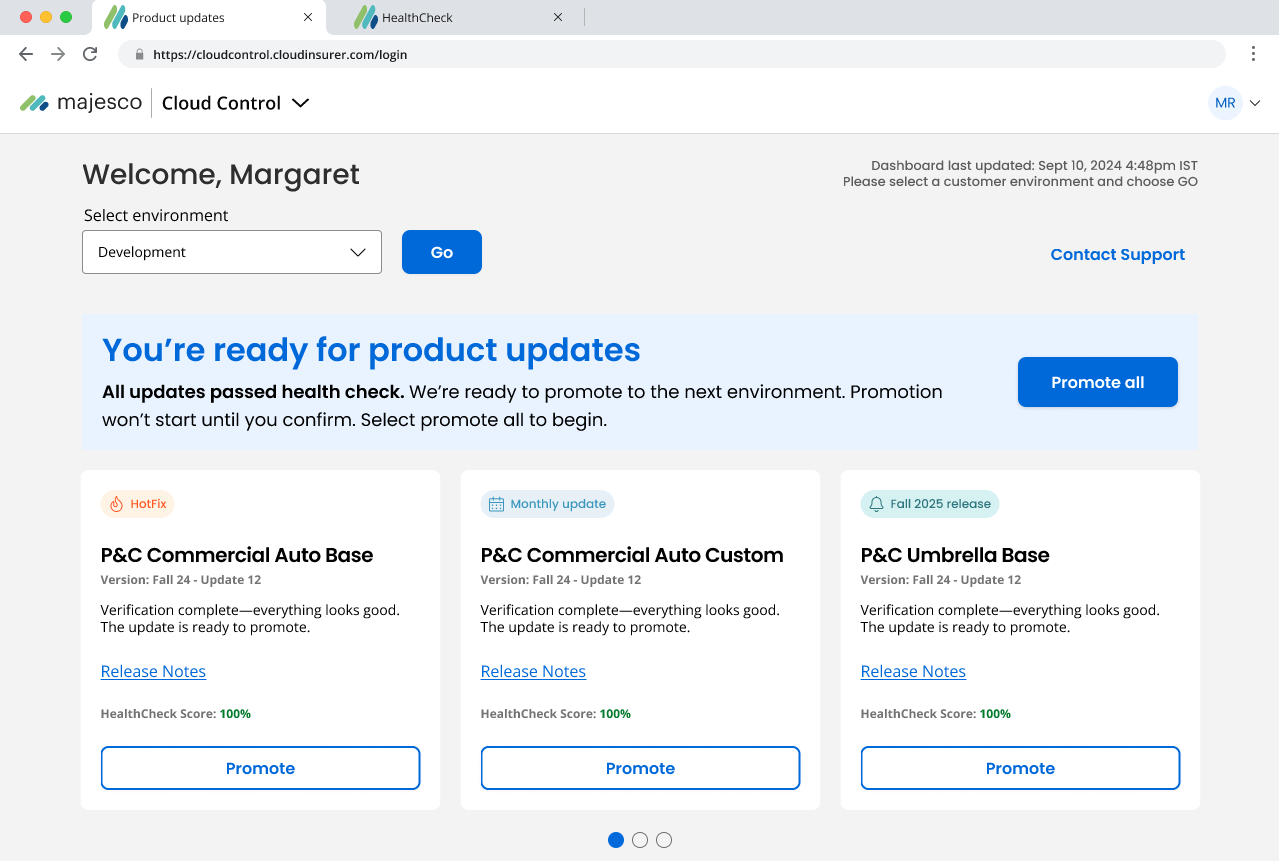
Once verification passes, updates can be promoted through environments.
The installer agent manages tasks such as:
The agent evaluates environment readiness and executes installation workflows automatically.
This shifts deployment from a manual DevOps process to a guided, automated workflow.
The new installer transforms enterprise deployment from a complex manual process into a fast, reliable upgrade workflow.
Reduced from weeks to days
Teams no longer wait for environment creation or upgrades
Automated workflows reduce human mistakes during installation
Customers can stay on current platform versions
Lead Product Designer (Principal-Level Ownership)
Platform workflow design, AI-assisted automation model, installation lifecycle architecture
Design lead managing 1 direct report; partnered with engineering
Concept → Platform initiative in development